By CV Templates
Project Manager Resume Templates — 5 Industries
Immediate delivery
Access right after checkout
Secure purchase
Protected checkout
Library access
Available in your account
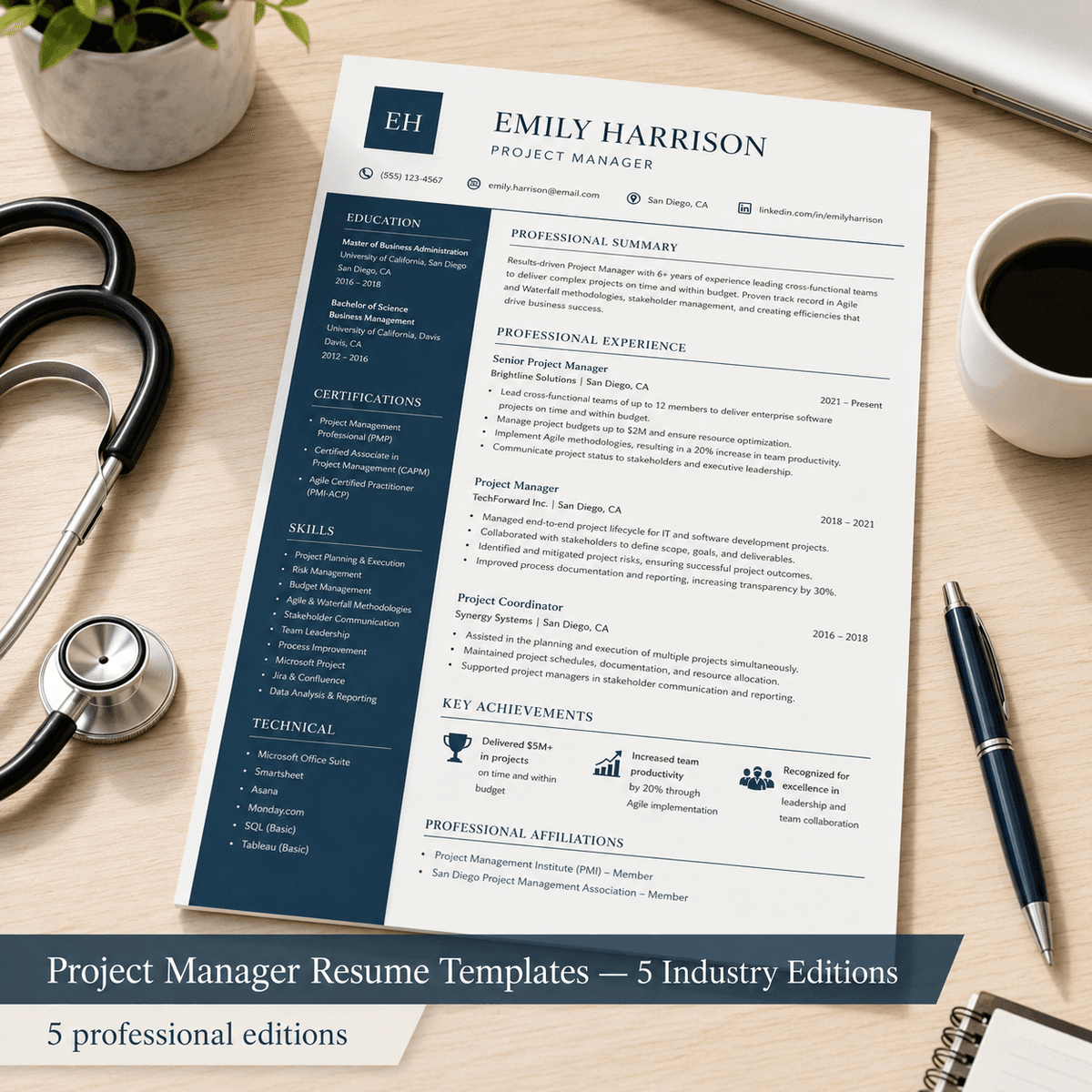
Built for specialists, not generalists
Win more interviews with 5 ATS-optimized PM resume templates. Tech, Construction, Healthcare, Finance & Consulting—industry-specific keywords included.
Mid-to-senior Project Managers face a brutal ATS filter: 97% of companies use applicant tracking systems, and PM roles receive 250+ applications each. The #1 rejection reason isn't lack of experience—it's missing industry-specific keywords. A tech PM needs "Agile," "sprint velocity," and "Jira"; construction demands "OSHA compliance," "BIM," and "RFI tracking"; healthcare requires "EHR integration" and "HIPAA"; finance filters for "regulatory compliance" and "risk register"; consulting expects "stakeholder engagement" and "change management frameworks." This pack delivers five complete resume templates, each tailored to pass the ATS filters for a specific industry. Every edition includes role-appropriate methodology keywords (Agile vs. Waterfall vs. PRINCE2), industry compliance language (OSHA, HIPAA, SOX, FDA), relevant tool names (Jira, Procore, Epic, Bloomberg Terminal, SAP), and achievement bullet patterns proven to rank in the top 20% of ATS scores. You get PDF (print-ready) + editable DOCX (works in Word, Pages, Google Docs) for all five editions, plus a quick-start guide with keyword customization instructions. Designed for Project Managers with 3–8 years of experience who are applying across multiple industries or pivoting from one sector to another. Each template uses the **prestige** aesthetic (Cormorant Garamond serif + Lato sans-serif) with conservative dark accents—perfect for the PM role's focus on credibility, structure, and executive stakeholder management.
Who this is for
Mid-to-senior Project Managers (3–8 years) applying across Tech, Construction, Healthcare, Finance, or Consulting who need ATS-optimized resumes.
Who this is NOT for
Not a generic one-size-fits-all template; not a resume writing service (you customize the content); not suitable for entry-level coordinators or non-PM roles; assumes 3+ years of project management experience to populate achievement bullets.
Up and running in minutes
How to Use: Project Manager Resume Templates — 5 Industry Editions
> Your polished resume in under 30 minutes.
---
What You Received
| File | Edition | Use For | |---|---|---| | tech-saas-edition.pdf | Tech & SaaS Edition | Submit to employers — preserves formatting | | tech-saas-edition.rtf | Tech & SaaS Edition | Edit in Word / Google Docs / Pages | | construction-infrastructure-edition.pdf | Construction & Infrastructure Edition | Submit to employers — preserves formatting | | construction-infrastructure-edition.rtf | Construction & Infrastructure Edition | Edit in Word / Google Docs / Pages | | healthcare-edition.pdf | Healthcare Edition | Submit to employers — preserves formatting | | healthcare-edition.rtf | Healthcare Edition | Edit in Word / Google Docs / Pages | | finance-banking-edition.pdf | Finance & Banking Edition | Submit to employers — preserves formatting | | finance-banking-edition.rtf | Finance & Banking Edition | Edit in Word / Google Docs / Pages | | consulting-edition.pdf | Consulting Edition | Submit to employers — preserves formatting | | consulting-edition.rtf | Consulting Edition | Edit in Word / Google Docs / Pages | | README.md | — | Product overview | | cover.png | — | Store thumbnail — ignore this |
---
Quick Start (3 Steps)
Step 1 — Open the right edition
Open the .rtf file that matches the job you are applying for. Each edition targets a different role — the language, keywords, and bullet patterns are specific to that profession.
---
Step 2 — Replace the [VARIABLE] placeholders
Every placeholder looks like [YOUR NAME], [JOB TITLE], [EMPLOYER NAME], [METRIC], etc.
Use Find & Replace (Ctrl+H / Cmd+H) to swap them quickly.
| Placeholder | What to enter | |---|---| | [YOUR NAME] | Your full name | | [PHONE NUMBER] | Your phone number | | [EMAIL ADDRESS] | Your professional email | | [CITY, STATE] | Your current location | | [YOURPROFILE] | Your LinkedIn username | | [JOB TITLE] | Your actual job title | | [EMPLOYER NAME] | Company or organisation name | | [METRIC] | A real number (e.g. "23%", "12", "$2M") | | [MON YEAR] | Month + year (e.g. "Jan 2022") | | [QUALIFICATION / DEGREE] | Your degree or certification | | [INSTITUTION NAME] | Your school or issuing body |
The bullet points are templates, not placeholders. Edit them freely — they follow professional best practice for your role. Keep what fits, delete what doesn't, add your own.
---
Step 3 — Export as PDF and submit
File → Export as PDF (or Save As → PDF) Check the PDF looks clean — no broken formatting, all fonts visible Submit the PDF to the employer
> Most ATS (Applicant Tracking Systems) accept PDF. Only submit .docx or .rtf if the employer specifically requests it.
---
ATS Tips
Keep the template fonts. Decorative fonts break ATS parsing. No photos or logos. Not expected on resumes in most markets. Mirror the job description. If the posting says "patient care coordination," use that exact phrase in your resume. No columns or text boxes — they confuse ATS parsers.
---
Common Questions
Q: Can I change the template design? The PDF is a fixed design. To change colours or layout, open the .rtf file and edit in Word.
Q: Which edition should I use? Pick the one closest to the job title you are applying for. The content is already tailored to that role's keywords and expectations.
Q: Can I use this for multiple applications? Yes — keep a master version and tailor the Professional Summary and Skills section for each job posting.
---
Questions? Email: shaattrading@gmail.com
Frequently asked
One-time purchase · Instant digital delivery
Instant access after secure checkout
Buy once, unlock immediately in your account.
© 2026 Airoad · All rights reserved