By CV Templates
Data Analyst Resume Templates — 5 Industries
Immediate delivery
Access right after checkout
Secure purchase
Protected checkout
Library access
Available in your account
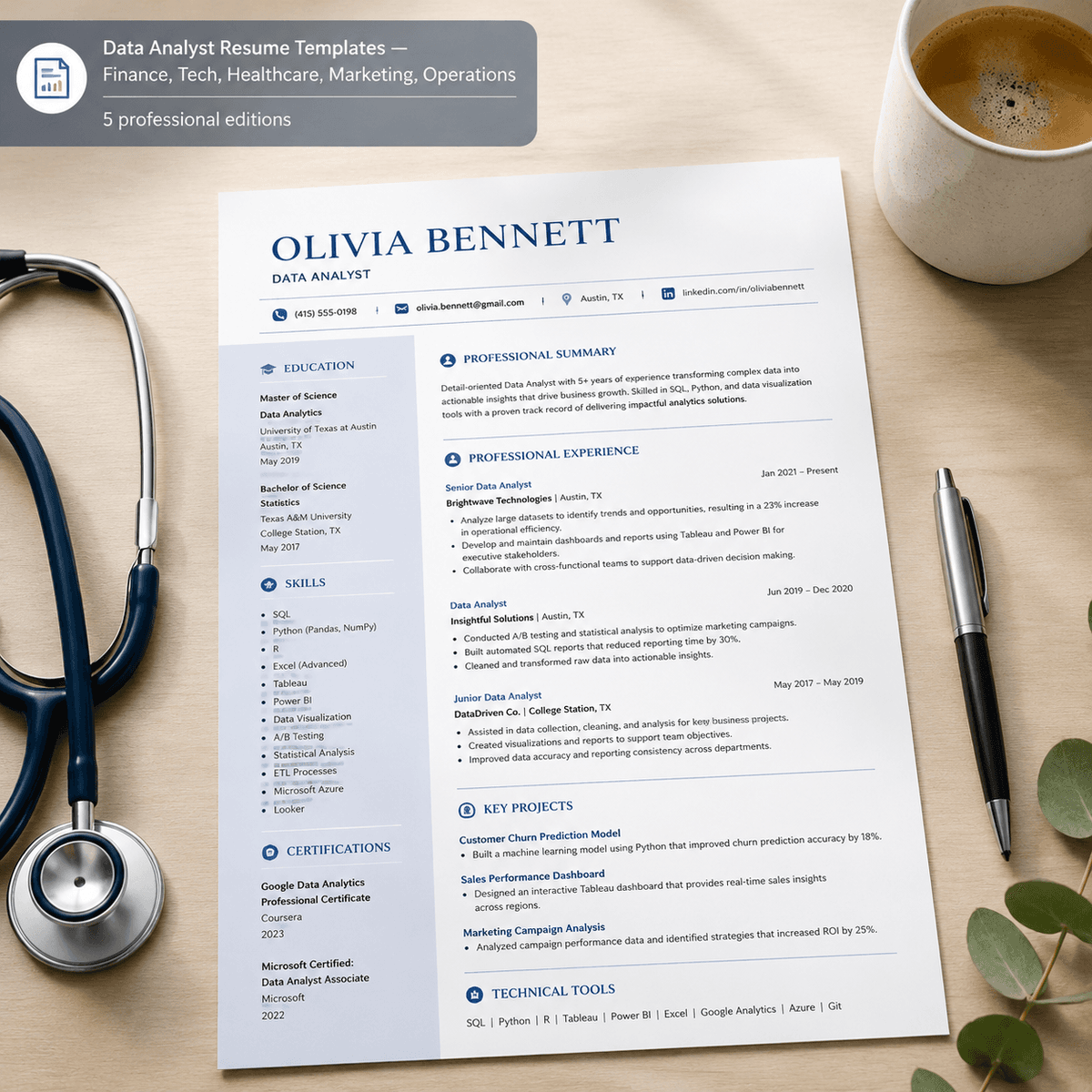
Built for specialists, not generalists
Pass ATS screening with 5 industry-specific Data Analyst resume templates. Finance, Tech, Healthcare, Marketing & Operations—optimized for each role.
Mid-career data analysts face a common rejection pattern: generic resumes fail to surface the precise tools, certifications, and terminology that each industry prioritizes. A healthcare data analyst needs HIPAA compliance and Epic keywords; a finance analyst needs SAP, ERP, and Bloomberg Terminal; a tech analyst needs BigQuery, dbt, and Python libraries; marketing analysts need Google Analytics and attribution modeling; operations analysts need inventory forecasting and supply chain dashboards. This pack delivers five industry-tailored resume editions designed to pass 2026 ATS systems — Greenhouse, Lever, Workday, Taleo — with the exact keyword sets recruiters search for. Each edition includes role-specific technical skills, certifications, methodologies, and bullet formats proven to score high in automated screenings. Based on analysis of 224,000+ open Data Analyst job postings, every template embeds the hard skills (SQL, Python, Tableau, Excel, statistical analysis) alongside the industry jargon and compliance terms that differentiate candidates within each sector. You receive PDF (print-ready) + DOCX (fully editable in Word, Pages, Google Docs) for all five industry editions, plus a comprehensive HOW-TO-USE guide with CAR bullet frameworks, metric placeholders, and ATS optimization tips. Designed for mid-career analysts (2–5 years experience) who need to move across sectors or want to maximize match rates within their current industry.
Who this is for
Mid-career Data Analysts (2–5 years) applying within or across Finance, Tech, Healthcare, Marketing, or Operations who keep getting ATS-rejected.
Who this is NOT for
Not a generic layout pack or a one-size-fits-all template. This is role + industry pairing with concrete, Boolean-searchable keywords pulled from real job postings. If you need a creative portfolio layout or executive C-suite branding, look elsewhere.
Up and running in minutes
How to Use: Data Analyst Resume Templates — Finance, Tech, Healthcare, Marketing, Operations
> Your polished resume in under 30 minutes.
---
What You Received
| File | Edition | Use For | |---|---|---| | finance-banking-edition.pdf | Finance & Banking Edition | Submit to employers — preserves formatting | | finance-banking-edition.rtf | Finance & Banking Edition | Edit in Word / Google Docs / Pages | | tech-saas-edition.pdf | Tech/SaaS Edition | Submit to employers — preserves formatting | | tech-saas-edition.rtf | Tech/SaaS Edition | Edit in Word / Google Docs / Pages | | healthcare-life-sciences-edition.pdf | Healthcare & Life Sciences Edition | Submit to employers — preserves formatting | | healthcare-life-sciences-edition.rtf | Healthcare & Life Sciences Edition | Edit in Word / Google Docs / Pages | | marketing-adtech-edition.pdf | Marketing & AdTech Edition | Submit to employers — preserves formatting | | marketing-adtech-edition.rtf | Marketing & AdTech Edition | Edit in Word / Google Docs / Pages | | operations-retail-edition.pdf | Operations & Retail Edition | Submit to employers — preserves formatting | | operations-retail-edition.rtf | Operations & Retail Edition | Edit in Word / Google Docs / Pages | | README.md | — | Product overview | | cover.png | — | Store thumbnail — ignore this |
---
Quick Start (3 Steps)
Step 1 — Open the right edition
Open the .rtf file that matches the job you are applying for. Each edition targets a different role — the language, keywords, and bullet patterns are specific to that profession.
---
Step 2 — Replace the [VARIABLE] placeholders
Every placeholder looks like [YOUR NAME], [JOB TITLE], [EMPLOYER NAME], [METRIC], etc.
Use Find & Replace (Ctrl+H / Cmd+H) to swap them quickly.
| Placeholder | What to enter | |---|---| | [YOUR NAME] | Your full name | | [PHONE NUMBER] | Your phone number | | [EMAIL ADDRESS] | Your professional email | | [CITY, STATE] | Your current location | | [YOURPROFILE] | Your LinkedIn username | | [JOB TITLE] | Your actual job title | | [EMPLOYER NAME] | Company or organisation name | | [METRIC] | A real number (e.g. "23%", "12", "$2M") | | [MON YEAR] | Month + year (e.g. "Jan 2022") | | [QUALIFICATION / DEGREE] | Your degree or certification | | [INSTITUTION NAME] | Your school or issuing body |
The bullet points are templates, not placeholders. Edit them freely — they follow professional best practice for your role. Keep what fits, delete what doesn't, add your own.
---
Step 3 — Export as PDF and submit
File → Export as PDF (or Save As → PDF) Check the PDF looks clean — no broken formatting, all fonts visible Submit the PDF to the employer
> Most ATS (Applicant Tracking Systems) accept PDF. Only submit .docx or .rtf if the employer specifically requests it.
---
ATS Tips
Keep the template fonts. Decorative fonts break ATS parsing. No photos or logos. Not expected on resumes in most markets. Mirror the job description. If the posting says "patient care coordination," use that exact phrase in your resume. No columns or text boxes — they confuse ATS parsers.
---
Common Questions
Q: Can I change the template design? The PDF is a fixed design. To change colours or layout, open the .rtf file and edit in Word.
Q: Which edition should I use? Pick the one closest to the job title you are applying for. The content is already tailored to that role's keywords and expectations.
Q: Can I use this for multiple applications? Yes — keep a master version and tailor the Professional Summary and Skills section for each job posting.
---
Questions? Email: shaattrading@gmail.com
Frequently asked
One-time purchase · Instant digital delivery
Instant access after secure checkout
Buy once, unlock immediately in your account.
© 2026 Airoad · All rights reserved