By Excel
5 Expense Tracker Templates for Personal & Business
Immediate delivery
Access right after checkout
Secure purchase
Protected checkout
Library access
Available in your account
Built for specialists, not generalists
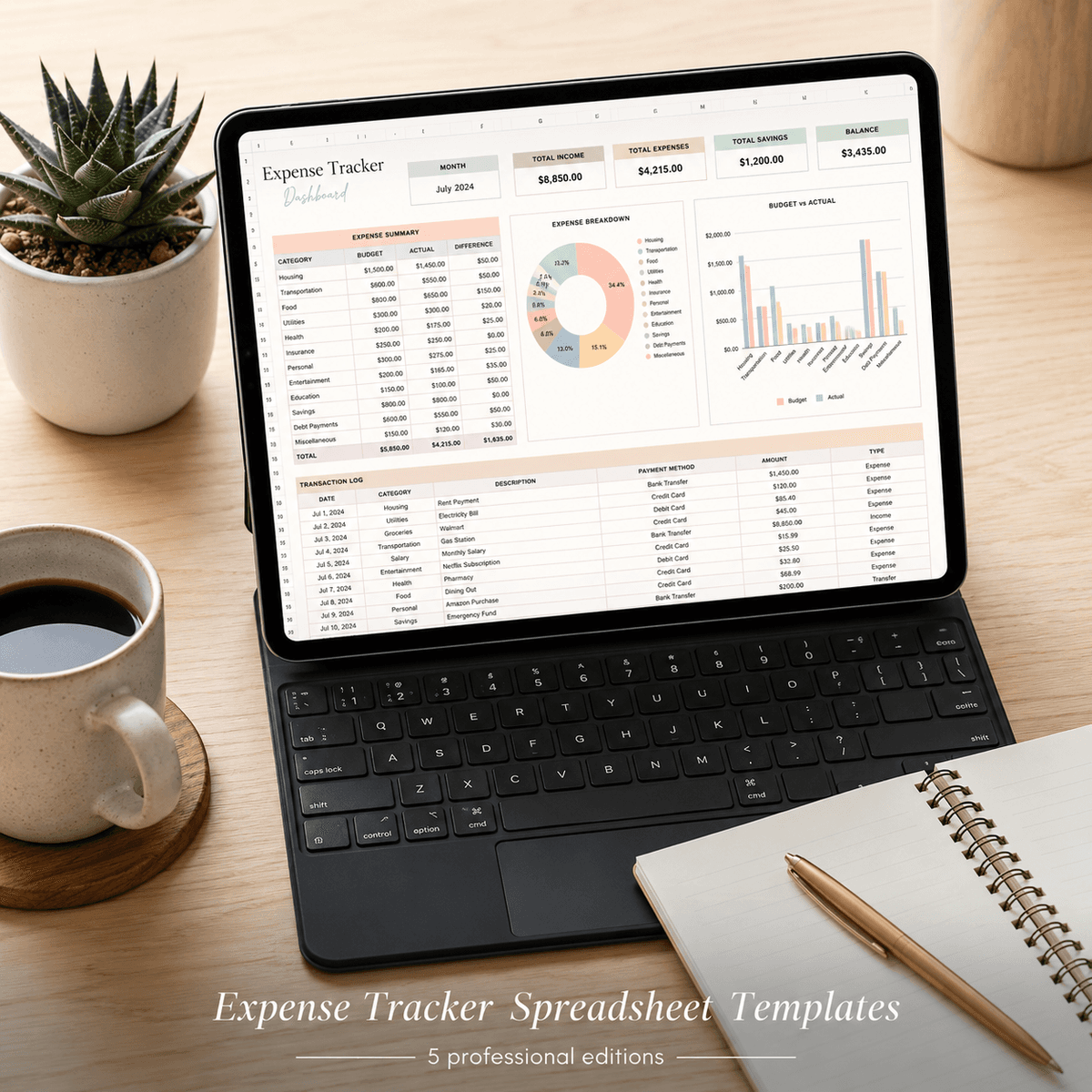
Get 5 beautiful expense tracker spreadsheets for personal, family, side hustle & small business finances. Start tracking spending today.
Say goodbye to ugly, generic expense trackers. This pack includes five beautifully designed, context-specific spreadsheet templates tailored to your exact financial needs—whether you're tracking personal spending, managing a family budget, growing a side hustle, running a small business, or freelancing. Each edition comes pre-built with the categories, dashboards, and calculations you actually need—not generic placeholders. Track your expenses, visualize spending patterns, and stay organized with spreadsheets that are as functional as they are gorgeous. Perfect for Millennial and Gen Z women who want financial tools they'll actually enjoy using and proudly share on social media. Every template works in both Microsoft Excel and Google Sheets. No subscriptions, no logins—just download, open, and start tracking. Includes a detailed how-to-use guide so you can jump in immediately.
Who this is for
Millennial and Gen Z women managing personal or side-hustle finances who want beautiful, context-specific spreadsheets they'll actually use.
Who this is NOT for
Not a one-size-fits-all free template with placeholder categories. Not subscription software with monthly fees. Not a bland Excel default-blue spreadsheet.
Up and running in minutes
How to Use: Expense Tracker Spreadsheet Templates — Personal, Family, Side Hustle, Small Business, Freelance
> Ready to use in 5 minutes — open, replace, organize.
---
What You Received
| File | Edition | Use For | |---|---|---| | personal-finance-edition.xlsx | Personal Finance Edition | Open in Excel or Google Sheets | | family-household-edition.xlsx | Family Household Edition | Open in Excel or Google Sheets | | side-hustle-edition.xlsx | Side Hustle Edition | Open in Excel or Google Sheets | | freelancer-edition.xlsx | Freelancer Edition | Open in Excel or Google Sheets | | etsy-seller-edition.xlsx | Etsy Seller Edition | Open in Excel or Google Sheets | | README.md | — | Product overview | | cover.png | — | Store thumbnail — ignore this |
---
Quick Start (3 Steps)
Step 1 — Open the right edition
Open the .xlsx file that matches your use case. Each edition is pre-configured for a specific context with relevant categories, labels, and sample data.
In Microsoft Excel: Double-click the file to open. In Google Sheets: Upload to Google Drive → right-click → Open with Google Sheets.
---
Step 2 — Start with the Dashboard tab
The spreadsheet opens to the Dashboard tab which shows a live summary. All the numbers on the Dashboard update automatically as you enter data in the other tabs. Start by going to the Setup or Settings tab to enter your goals, budget amounts, or starting values.
---
Step 3 — Replace the sample data
The spreadsheet comes with sample data so you can see it working immediately. Go to the data entry tabs (labelled clearly at the bottom). Delete the sample rows and enter your own data. The Dashboard will update automatically.
> Protected cells: Formula cells are styled differently (different background color). Don't type over them — they calculate automatically.
---
Opening in Google Sheets
Go to Google Drive (drive.google.com) Click + New → File upload and select the .xlsx file Right-click the uploaded file → Open with → Google Sheets The file will convert automatically — all formulas will work as expected
> All formulas in this spreadsheet are compatible with both Excel and Google Sheets.
---
Common Questions
Q: Can I add more rows? Yes — all formula ranges are designed to accommodate additional rows. Just add rows within the data table and the formulas will include them.
Q: Can I change the colors? Yes — select any cell, go to Fill Color in the toolbar, and change it. The design is yours to customize.
Q: Which edition should I use? Pick the edition closest to your use case. The categories, labels, and sample data are pre-configured for that context.
Q: Can I share it with my partner / team? This license is for single-user use. For shared use (household, business team), please purchase additional copies.
---
Questions? Email: shaattrading@gmail.com
Frequently asked
One-time purchase · Instant digital delivery
Instant access after secure checkout
Buy once, unlock immediately in your account.
© 2026 Airoad · All rights reserved